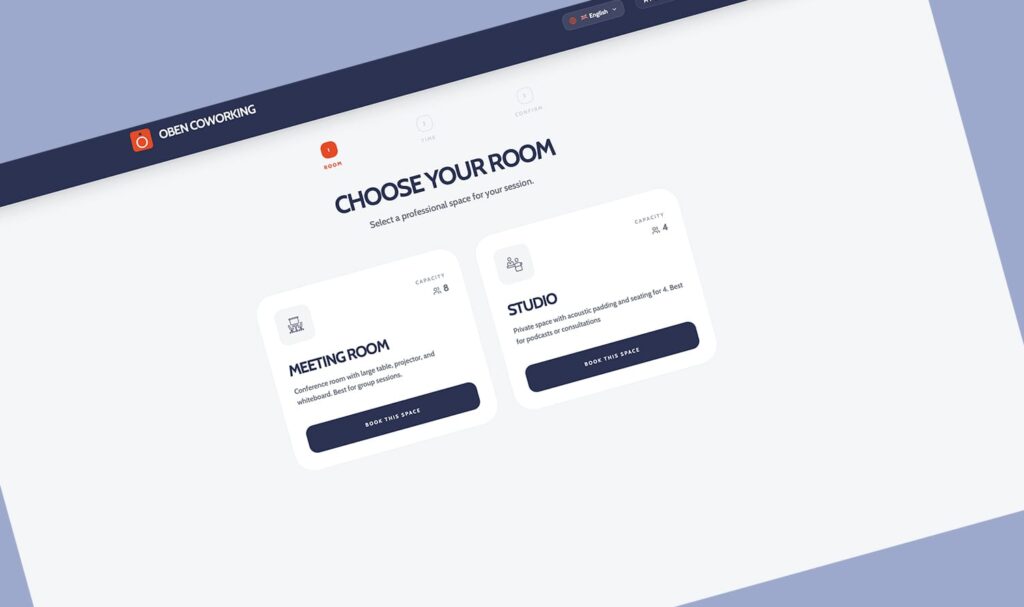
We’ve developed our own new booking system with you in mind, making it (hopefully) super intuitive, simple and fast. This is how you use our booking system:
Step 1: Choose your room
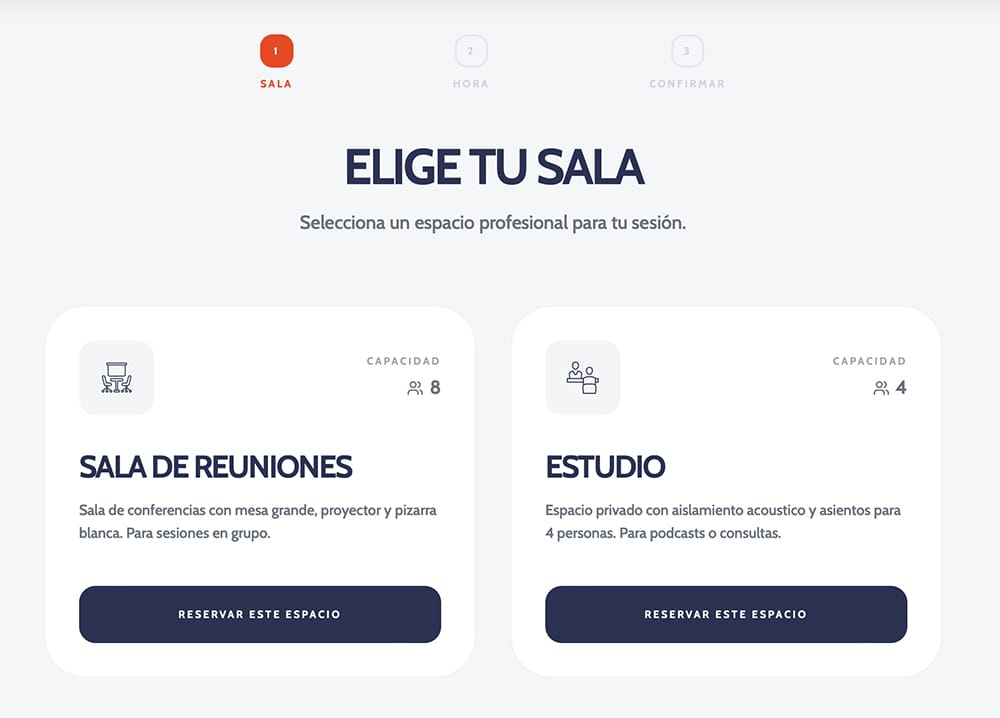
You can go to our brand new booking portal on bookings.oben.work
Once you’re there, you can choose which room you would like to book
- The Meeting Room: A bigger room for team collaborations or presentations. There are currently 6 chairs around the big table, but there is room for 2 more chairs if needed. This room also has a projector and a whiteboard.
- The Studio: Your private haven for focused work, professional consultations, or recording a podcast. We are planning to put up acoustic panels and provide basic podcasting equipment as soon as possible.
Ready to roll? Simply click on the room you wish to book.
Step 2: Select your time slots in the calendar
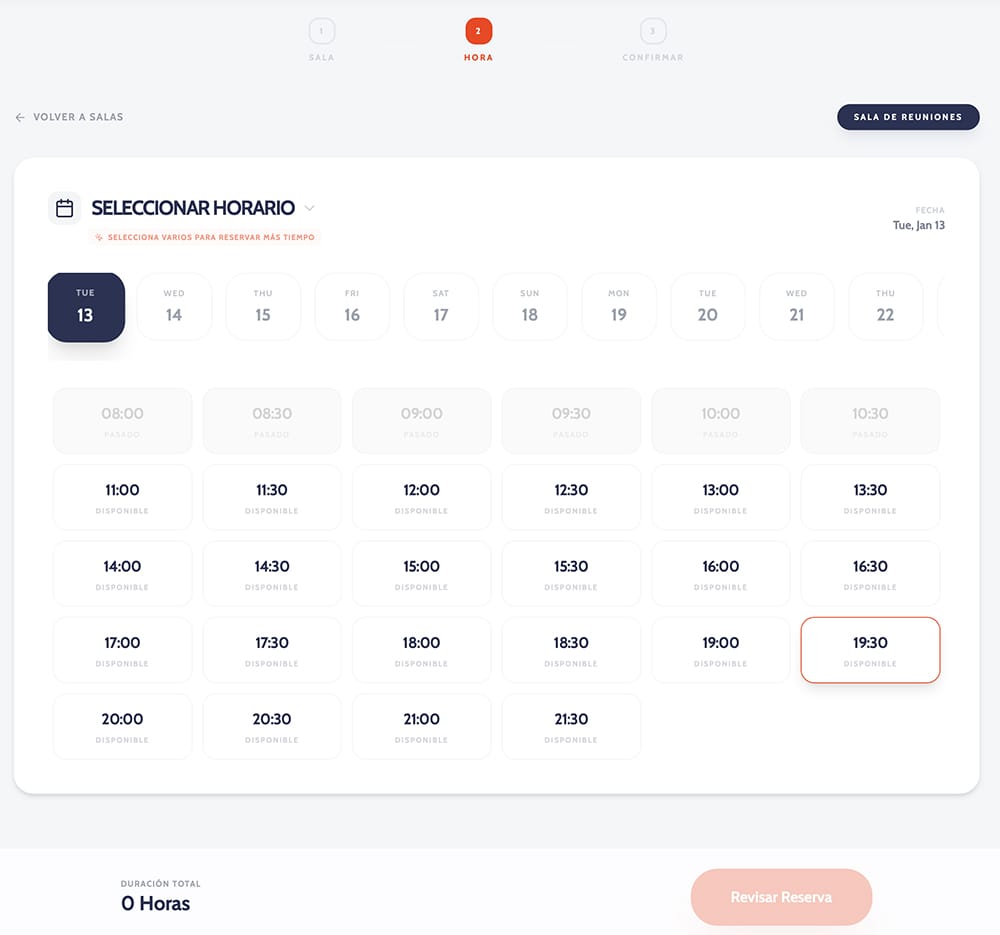
Our calendar lets you book up to 4 months into the future, so you can plan well ahead. Each available slot is a 30-minute block.
- To select a slot, just click on it.
- Click on it again to deselect, if you got it wrong.
Step 3: Review and confirm
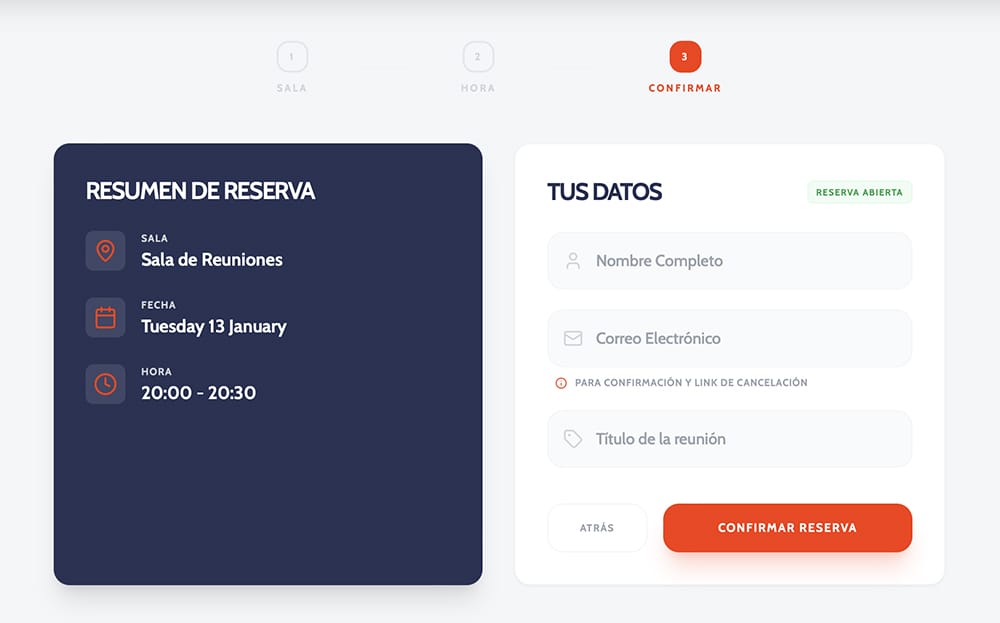
Once you’ve chosen all your desired time slots, hit the “Review Booking” button.
You’ll see a quick summary of your chosen slots. This is also where we’ll ask for a couple of important details:
- Your Name: So we know who is booked in.
- Your Email Address: This is important. It’s how we send your booking confirmation, but also if you ever need to cancel a booking later on, you will need your email address.
In the top bar under “My bookings” you can see all your current bookings in chronological order. You can also cancel bookings from here.
That’s it! I hope you like our new booking system and find it easier than the old one!